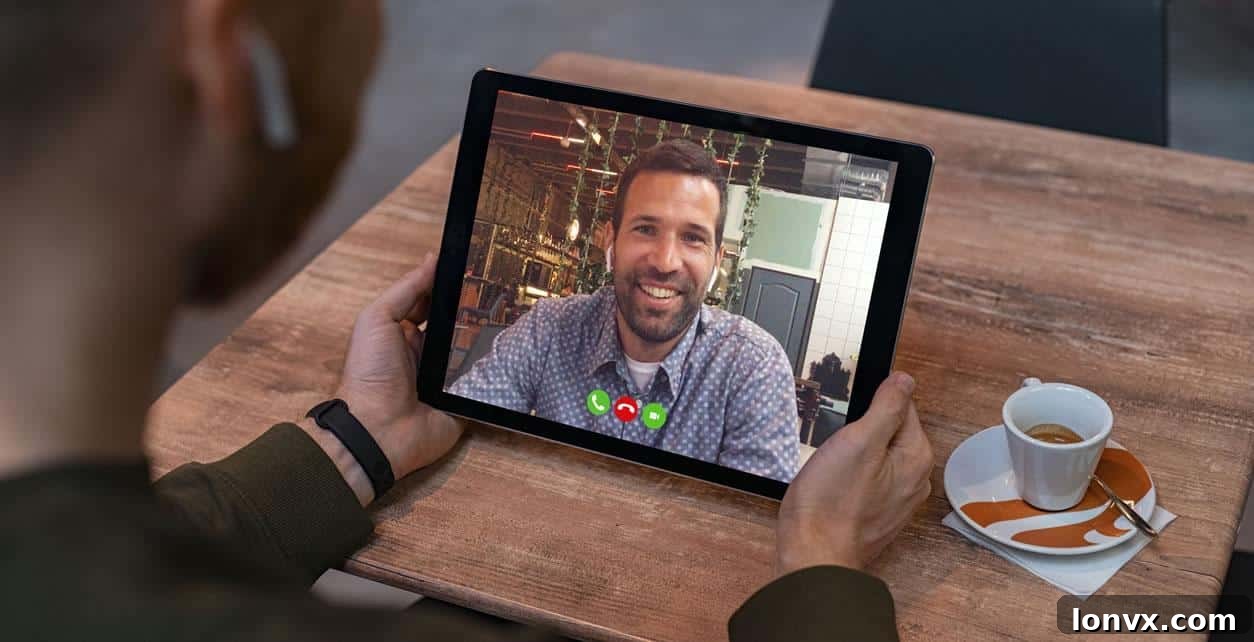
The real estate landscape is ever-evolving, and recent global events have significantly accelerated the adoption of innovative technologies. For dedicated Realtors committed to minimizing health risks while continuing to serve their clients, embracing digital solutions like virtual property showings is no longer just an option—it’s an essential strategy. When direct, in-person meetings are impractical or undesirable, leveraging the power of video chat provides a seamless and safe method to showcase properties from a distance, ensuring business continuity and client satisfaction.
While the traditional perspective suggests that a monumental financial decision like purchasing a home necessitates an in-person visit, the current environment has shifted expectations. Most buyers today recognize the value of virtual tours as an invaluable initial screening tool. A comprehensive virtual property tour via video chat allows prospective buyers to effectively vet properties, narrowing down their options without leaving their current location. This efficient pre-qualification process significantly streamlines the home search, saving time and effort for both buyers and agents. Should a property truly capture a client’s interest after a virtual viewing, an in-person showing can then be arranged, often with enhanced safety protocols. Alternatively, some forward-thinking Realtors have successfully presented offers that include clauses making the agreement conditional upon a subsequent physical viewing of the property, providing flexibility and peace of mind.
If you’re new to using video chat applications for conducting property showings, consider this your essential guide to mastering the process. This comprehensive crash course will equip you with the knowledge to execute professional virtual showings using nothing more than your smartphone or tablet, transforming your approach to connecting buyers with their dream homes.
Step 1: Select the Ideal Video Conferencing App for You and Your Clients
Choosing the right video chat application is fundamental to a successful virtual showing. Your decision should be based on several key factors: the devices both you and your clients have access to, your personal comfort level with various technologies, the number of participants you expect on the call, and any specific features you might need (e.g., screen sharing, recording). It’s crucial to remember that for any of these applications to work, both you and your client must have the app installed on their device or possess an account for its web-based version. Prior communication with your client regarding their preferred platform and device compatibility will ensure a smooth start to your virtual tour. Here are some of the most popular and user-friendly options available:
FaceTime: Seamless for Apple Ecosystem Users
For agents and clients deeply entrenched in the Apple ecosystem, FaceTime often presents the most straightforward and highest-quality solution for video calls. This native Apple application offers a highly intuitive user experience, closely mirroring a standard phone call but with the added benefit of live video. To utilize FaceTime, both parties must be using Apple devices—whether it’s an iPhone, iPad, or a Mac computer. The process is incredibly simple: open the FaceTime app, locate your client’s contact, and tap the video call button. Its reliability and crystal-clear audio-visual quality make it a top choice for a quick, personal, and efficient virtual walk-through, provided all participants are Apple users.
Facebook Messenger: Leveraging a Widespread Social Network
When FaceTime isn’t a viable option due to differing device ecosystems, Facebook Messenger offers a widely accessible and user-friendly alternative for your virtual property tours. This platform requires both you and your client to have active Facebook accounts and to be connected as “Friends” within the network. To prepare, download the Messenger app in advance and log in. A smart practice is to initiate a text chat with your clients a few minutes before the scheduled tour to confirm their readiness and address any last-minute questions. Once everything is confirmed, simply click the camera icon, typically located in the top-right corner of your chat window, to initiate the video call. Its ubiquity means many clients already have it installed and are familiar with its interface, reducing potential tech hurdles.
Zoom: The Professional’s Choice for Comprehensive Virtual Tours
Zoom has become a leading video conferencing solution, particularly favored for professional settings, multi-participant calls, and when advanced features are desired. It’s an excellent choice if you’re conducting a virtual showing for multiple clients in different locations or if you wish to record the session for later review and follow-up. Zoom offers robust features, including screen sharing (useful for displaying floor plans or neighborhood maps), virtual backgrounds, and secure meeting environments. To get started, visit Zoom.us to sign up for an account. You’ll also need to download the Zoom app onto your mobile device or tablet from your device’s respective app store (App Store for Apple, Play Store for Android) and sign in. For virtual showings, it’s best to schedule a meeting in advance using the “Schedule” button on the app’s home screen. Here, you can specify the date, time, duration, and other relevant settings. Zoom provides a customizable invitation template, making it simple to send an email to your clients containing the direct link to join the meeting. Emphasize to your clients that they too should download the Zoom app onto their devices ahead of time to ensure a seamless and punctual start to their virtual property experience.
WhatsApp: Global Reach and Group Calling Convenience
WhatsApp stands out for its extensive global user base and encrypted communication, making it an excellent choice for virtual showings, especially if you’re working with international clients or need to include a small group. You can conduct video calls with up to four participants simultaneously, offering flexibility for couples or immediate family members to join the tour together. Similar to other apps on this list, WhatsApp requires you to create an account and add your clients as contacts within the app before you can initiate a call. Once connected, open a chat conversation with your client and tap the video camera icon, usually found at the top of the screen, to start your virtual walkthrough. Its simplicity and widespread adoption make it a practical tool for many Realtors.
Skype: A Long-Standing and Reliable Video Communication Tool
Skype has been a cornerstone of video communication for many years, offering a reliable and mature platform for virtual interactions. Its cross-platform compatibility ensures that it can be used across various devices, including smartphones, tablets, and computers, regardless of the operating system. To use Skype, both you and your clients will need to create an account and choose unique usernames. Once accounts are set up, you’ll add each other as contacts using your respective usernames. The Skype app should be downloaded onto your mobile device well in advance of the showing. Initiating a video chat on Skype is intuitive and much like making a traditional phone call: select your client’s contact name, tap the “call” button, and then ensure the video function is enabled. Skype’s robust infrastructure provides a stable connection, making it a dependable choice for your virtual tours.
Google Hangouts: Integrated for Google Account Holders
Google Hangouts offers a free and accessible video chat solution, particularly convenient for individuals who already utilize Google services like Gmail. If you have a Google account, you likely already have access to Hangouts, or can easily download the app to your mobile device. For those without a Google account, creating one is a quick and straightforward process. To connect with clients, add them as a contact using their email address. Once they are in your contact list, you can place a video call by selecting their name and tapping the camera icon, typically located at the top of the screen. Its seamless integration with the Google ecosystem makes it a convenient choice for many, offering a familiar interface and reliable performance for your virtual property tours.
Step 2: Ensure an Uninterrupted High-Quality Connection with Wi-Fi
A crystal-clear, uninterrupted video feed is paramount for a professional virtual showing experience. This often hinges on a robust internet connection. Before your scheduled tour, proactively ask the listing agent for the Wi-Fi network name and password for the property. This simple step can significantly enhance the quality of your video stream, minimizing pixelation, lag, and dropped calls, which can detract from the client’s experience. Upon arriving at the property, make it a priority to connect your device to the Wi-Fi network *before* initiating the call with your clients. It’s also good practice to communicate this step to your clients; let them know you’ll need a few minutes to establish a stable connection and that they can expect your call shortly after the appointed time. This manages expectations and prevents any anxiety from a perceived delay, ensuring a smooth transition into the virtual tour.
Step 3: Master the Art of Capturing Exceptional Video for Your Tour
Setting yourself up for success in shooting great video involves more than just pointing your phone. It requires thoughtful preparation and execution to truly bring the property to life for your remote clients.
Pre-Showing Preparation is Key: Before even dialing your client, take a moment to prepare the property and yourself. If possible, ensure the home is staged for optimal viewing: decluttered, well-lit, and tidy. Plan your route through the house, envisioning the logical flow a buyer would take. Consider testing your equipment – not just the app, but also your phone’s camera quality and battery life. If you have a portable stabilizer or gimbal, this is the time to use it for smoother panning. A quick mental checklist of key features in each room will ensure you don’t miss anything important during the live tour.
Initiating the Call and Setting the Scene: When you first place the video call, position yourself in a location within the property that has excellent natural light on your face. Most video chat apps default to using your phone’s front-facing camera upon initiation, meaning your clients’ first impression will be of you. Avoid standing with your back to a window or in a poorly lit corner, as this will cast you in shadow and make it difficult for clients to see you clearly. Take the initial minute or two of the call to warmly greet your clients, briefly discuss their expectations for the virtual tour, and offer your immediate, unbiased first impression of the home. This personal touch builds rapport and helps set the stage for a truly engaging experience.
Conducting the Tour with Finesse: Once you’re ready to commence the property tour, switch to your phone’s rear-facing camera. This is typically done by tapping an icon that resembles a camera with circular arrows. Remember, there will always be a slight delay between your actions and what your clients perceive on their screen due to internet latency. To compensate, pan your device slowly and deliberately, allowing the camera ample time to pick up all essential details and for the video feed to update on your client’s end. Speak clearly, enunciate well, and maintain a calm, steady pace.
Your expertise as a Realtor becomes even more critical during a virtual showing. While video chat provides visual access, it cannot replicate the full sensory experience of being in a home. Therefore, it’s your responsibility to verbally convey details that simply cannot be observed through a screen. Describe the ambiance: is there any faint traffic noise from nearby roads, or is it remarkably quiet? Are there any subtle pet odors, or is the air fresh? Do you feel any drafts near windows, or is the insulation excellent? Crucially, articulate a sense of scale and proportion. Describe ceiling heights, the spaciousness of rooms, and how certain furniture pieces might fit. Don’t just show; narrate, engage, and guide your clients’ imaginations.
It’s entirely natural to feel a degree of uncertainty or awkwardness during your first few virtual property showings. This is a new skill for many, and it takes time to find your rhythm and confidence. Embrace it as a learning process. The more you practice, the more comfortable and proficient you will become, soon mastering virtual showings with the same ease and professionalism you bring to in-person appointments.
With a blend of careful planning, dedication, and the strategic use of technology, we can collectively play a vital role in minimizing the spread of illnesses like COVID-19. More importantly, we can continue to serve our clients effectively, facilitate significant life decisions, and help our industry adapt and thrive in an evolving market. Stay safe, stay innovative, and may your virtual showings lead to many successful closings!