
Mastering Instagram Reels: Top Trending Templates for Real Estate Agents
In today’s dynamic digital landscape, Instagram Reels have emerged as a powerhouse for real estate professionals looking to captivate audiences, showcase properties, and build their brand. Short-form video content is no longer just a trend; it’s a fundamental pillar of effective social media marketing. For real estate agents, Reels offer an unparalleled opportunity to bring listings to life, highlight local expertise, and connect with potential buyers and sellers on a more personal level.
This comprehensive guide dives into five highly engaging Instagram Reel trending sounds, templates, and creative ideas designed specifically for the real estate industry. Whether you’re a seasoned agent or new to the platform, these strategies will help you create compelling content that resonates with your audience and drives significant engagement. We’ll provide step-by-step instructions, creative tips, and insights to maximize your reach and visibility.
Remember, every piece of content you film for a Reel can be repurposed, offering incredible value and efficiency. Cultivate a content library, saving all your clips and photos in an organized folder. This digital archive will be invaluable when you’re looking for fresh content or need to quickly assemble a new Reel. If you’re just starting your journey with Instagram Reels, we highly recommend exploring fundamental tips to streamline your content creation process. Understanding the basics will make these trending templates even easier to implement and master.
Why Instagram Reels Are Indispensable for Real Estate Agents
Before we dive into the specific templates, let’s understand why Reels should be a cornerstone of your real estate marketing strategy:
- Massive Reach and Discoverability: Instagram’s algorithm often favors Reels, pushing them to a wider audience through the Reels tab and Explore page, even to users who don’t follow you. This organic reach is gold for attracting new leads.
- High Engagement Rates: Short, dynamic videos are highly shareable and comment-friendly. They encourage immediate interaction, which signals to the algorithm that your content is valuable.
- Authentic Storytelling: Reels allow you to tell the story of a home, a neighborhood, or your personal brand in an engaging, authentic way that static images simply can’t match.
- Showcase Expertise: From property tours to market updates and local area guides, Reels position you as a knowledgeable and trusted expert in your field.
- Connect with Younger Demographics: A significant portion of home buyers are millennials and Gen Z, who are highly active on platforms like Instagram and consume short-form video content regularly.
General Tips for Maximizing Your Instagram Reel Success
Regardless of the template you choose, incorporating these best practices will elevate your Reels:
- Utilize Trending Audio: Instagram’s algorithm boosts Reels that use trending audio. Always check the Reels tab for popular sounds and incorporate them.
- High-Quality Visuals: Invest in good lighting, stable camera work, and clear video. Your phone’s camera is often sufficient, but good technique is key.
- Hook Viewers Immediately: The first few seconds are critical. Grab attention with a compelling visual or a clear value proposition.
- Add Text Overlays: Use text to highlight key features, ask questions, or provide calls to action (CTAs). Keep it concise and readable.
- Include a Strong Call to Action: Tell viewers what you want them to do next: “Link in bio for more details,” “DM me for a private showing,” “Comment below with your favorite feature.”
- Use Relevant Hashtags: Research popular and niche hashtags related to real estate, your location, and property types. This helps with discoverability.
- Post Consistently: Regular posting keeps your audience engaged and signals to the algorithm that you’re an active creator.
- Engage with Comments: Respond to every comment and direct message promptly. Building a community around your content is vital.
- Optimize Your Cover Image: A visually appealing cover photo for your Reel can significantly increase click-through rates from your profile grid.
Here are five powerful Instagram Reel templates with trending sounds and easy-to-follow steps that you should incorporate into your marketing strategy today:
1. Single Shot Walkthrough: The Seamless Property Tour
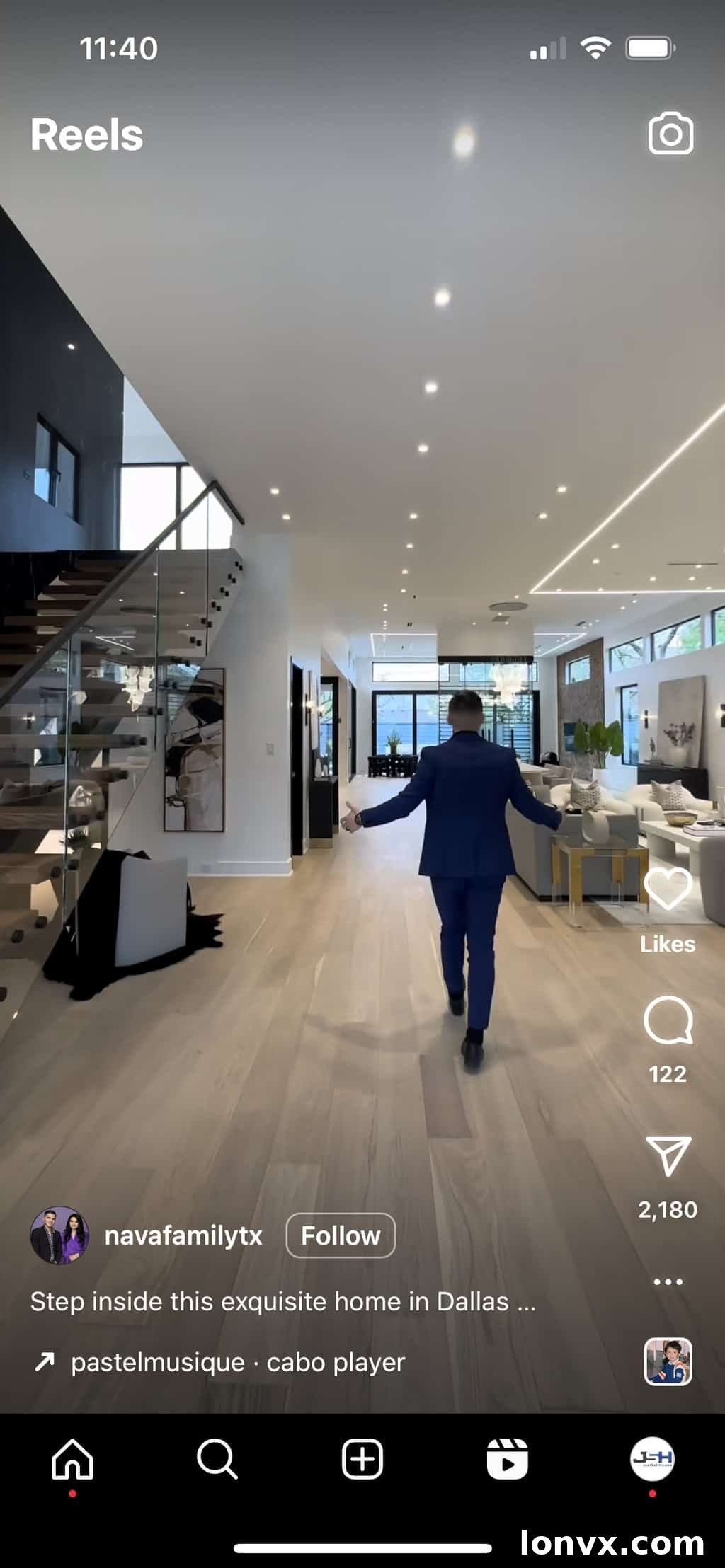
The single-shot walkthrough Reel offers a captivating, continuous view of a property, drawing viewers in without any jarring cuts. It’s an excellent way to convey the flow and spaciousness of a home, making it feel immersive and inviting.
What You’ll Need:
A single, continuous video shot. Start from the front door and smoothly walk through the main floor, showcasing key areas. Alternatively, you can creatively switch it up by starting from the back door and highlighting the backyard, outdoor living spaces, or a unique property feature.
This style is particularly effective for open-concept homes or properties with stunning architectural details you want to highlight fluidly. Focus on smooth camera movement – a gimbal or even just steady hands can make a huge difference.
 How to Make It:
 How to Make It:
Step 1: Discover the Trend: Tap here to view the original Reel on Instagram. This will give you a clear idea of the pacing and style.
Step 2: Access the Audio: Once on the Reel, tap the trending audio icon located at the bottom left of your screen. This will take you to the audio page.
Step 3: Prepare Your Audio: Tap “Use Audio” at the bottom of the page to immediately create a Reel with this sound. If you prefer to save it for a later filming session, tap “Save Audio.”
Step 4: Upload Your Video: Tap the blue “+” sign on the bottom left to add your pre-recorded, single-shot walkthrough video. Ensure your video is well-lit and stable.
Step 5: Preview and Refine: Tap “Preview” to review your Reel. This is your opportunity to add any text overlays – perhaps highlighting “New Listing!” or “Dream Kitchen Revealed” – that complement your visual tour.
Step 6: Customize Your Cover: Select “Edit Cover.” You can either upload a custom cover image that represents the best angle of the property or select a compelling moment from your video to serve as the cover image. A strong cover can significantly increase clicks from your profile.
Step 7: Craft Your Engaging Caption: Write a compelling caption that informs viewers about the home’s availability, key features, and unique selling points. This is also a fantastic place to showcase your staging skills and encourage potential buyers to contact you for a showing or more details. Include relevant emojis for visual appeal.
Step 8: Add Location Tags: Crucially, add the exact location of the listing. This helps the Instagram algorithm display your Reel to local users and individuals searching in that specific area, significantly increasing relevant reach.
Step 9: Share Your Masterpiece: Hit “Share” to publish your Single Shot Walkthrough Reel and start generating buzz for your listing!
Views on original Reel: 374K +
Source: navafamilytx
2. Per 👏🏼 Fec 👏🏼 tion 👏🏼: Highlighting Property Details with Impact
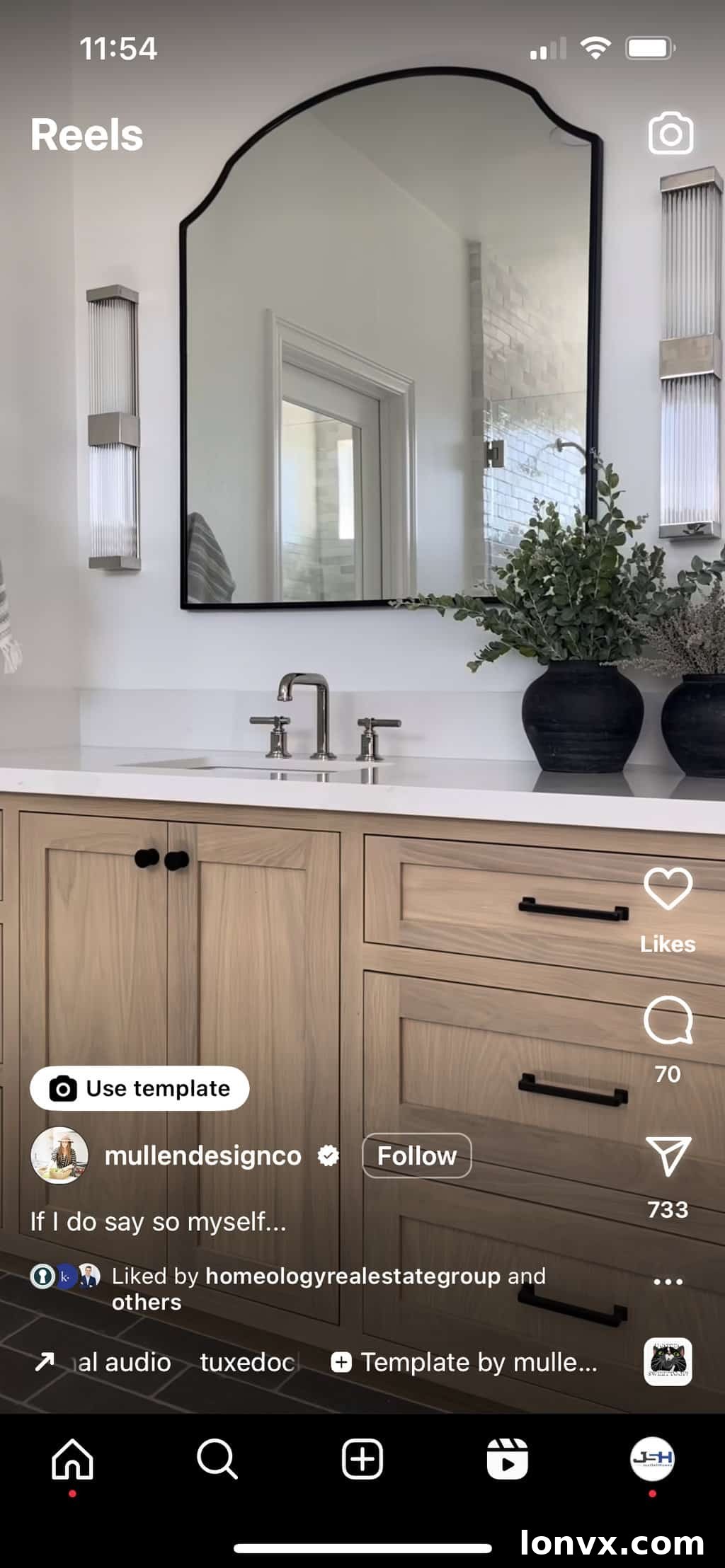
This template is ideal for showcasing specific, highly appealing features of a property. It uses a rhythmic, impactful sound to draw attention to different angles or details within a room, making each reveal feel significant and impressive. It’s particularly effective for highlighting renovations, luxury finishes, or unique architectural elements.
What You’ll Need:
Three distinct videos or angles of a specific room or feature. Don’t be shy about really zooming in on a luxurious fixture, a beautiful tile pattern, or a stunning view. The beauty of this template is its versatility: if you have multiple rooms you wish to highlight, you can easily use this template multiple times. For instance, create one Reel for an updated ensuite, another for a stunning gourmet kitchen, and a third for a serene primary bedroom. Each Reel becomes a focused spotlight.
How to Make It:
 How to Make It:
Step 1: Access the Template: Tap here to view the original Reel on Instagram and understand its rhythm.
Step 2: Select Trending Audio: Tap the trending sound icon located at the bottom left of your screen to access the audio page.
Step 3: Upload Your Clips: Upload your three carefully selected videos, ensuring each clip focuses on a different angle or detail of your chosen feature or room.
Step 4: Review and Skip Text: Tap “Next” twice. For this particular template, we often recommend avoiding additional text overlays to maintain a clean, visually impactful aesthetic that lets the property speak for itself.
Step 5: Edit Your Cover Image: Add or edit your cover image. Choose a visually stunning still from one of your clips or upload a custom graphic that encapsulates the “perfection” you’re showcasing.
Step 6: Write Your Engaging Caption with a Clear CTA: Develop a compelling caption that goes beyond simply describing the room. Ask engaging questions like “What’s your favorite detail?” and include a clear call to action (CTA). Direct your audience to the link in your profile for more information about the listing or to schedule a private tour. This converts passive viewers into active leads.
Step 7: Add Listing Location: Ensure you add the specific location of the listing. This is vital for local discoverability and helps potential buyers understand where this “perfection” can be found.
Step 8: Publish: Hit “Share” to publish your captivating Reel and impress your audience with detailed property highlights.
Views on original Reel: 131K +
Source: mullendesignco
3. 10 Seconds in Your Area: Become the Local Expert
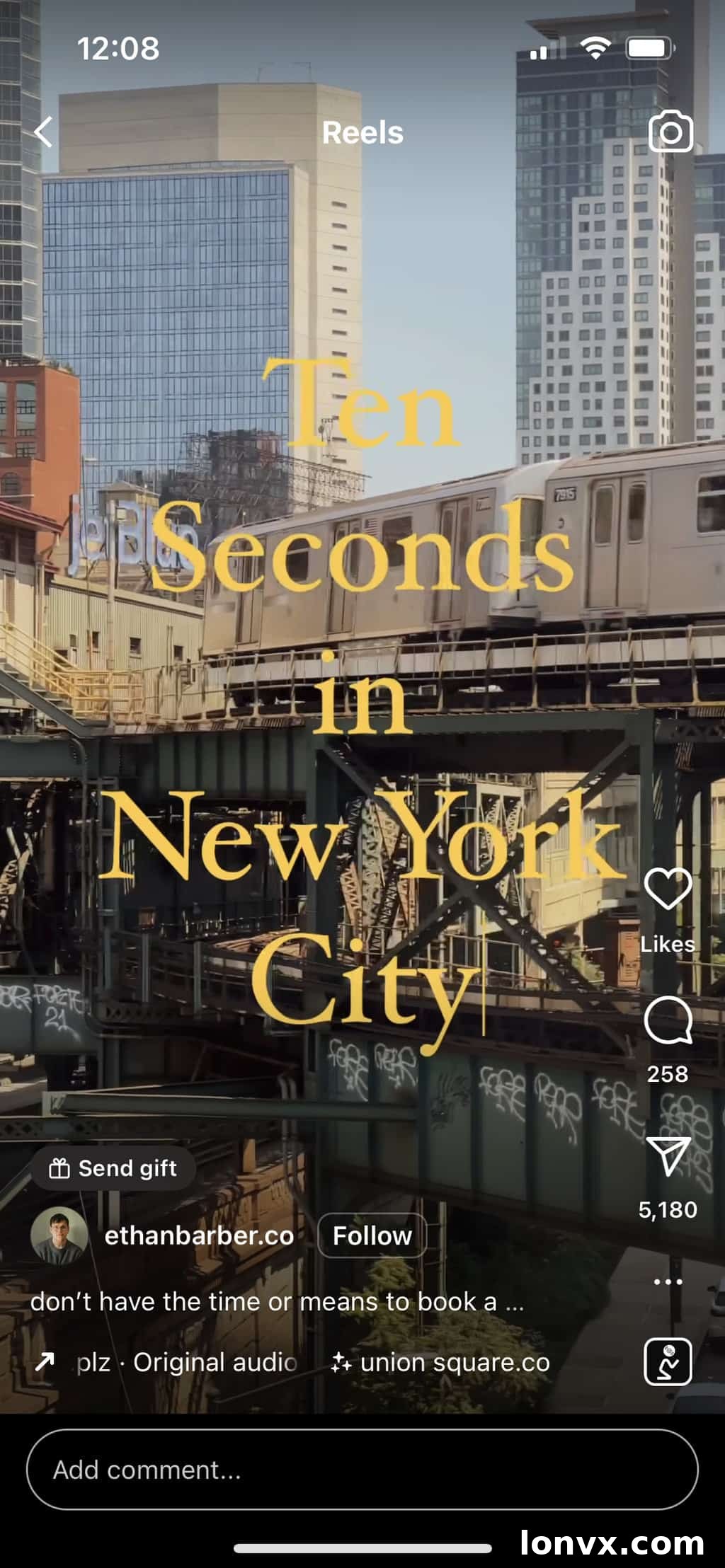
This Reel template is an exceptional tool for real estate agents to demonstrate their intimate knowledge of the local area they serve. It moves beyond just selling houses; it sells a lifestyle, a community, and builds your reputation as a trusted local expert. By showcasing various aspects of a neighborhood, you provide immense value to potential buyers who are looking for more than just a house – they’re looking for a home within a community.
What You’ll Need:
Ideally, five short videos, each lasting approximately two seconds, showcasing different attractive locations or highlights within your service area. Think local coffee shops, parks, unique boutiques, community centers, landmarks, or beautiful streetscapes. Get creative with your titles to make them even more compelling:
- “Ten Seconds in [YOUR AREA]”
- “Spend the Day in [YOUR AREA]”
- “Best Cafés in [YOUR AREA]”
- “Discover the Charm of [YOUR NEIGHBORHOOD]”
- “Hidden Gems of [YOUR CITY]”
This template is about painting a vibrant picture of the community, helping potential clients envision their life there, and reinforcing your authority as a hyper-local real estate professional.
How to Make It:
 How to Make It:
Step 1: Find the Original Reel: Tap here to view the Reel on Instagram and get a feel for its pacing and style.
Step 2: Select Trending Audio: Tap the trending sound icon at the bottom left of your screen. You can either select “Use Audio” immediately or “Save Audio” to use it later, which is convenient if you’re filming your clips separately.
Step 3: Upload and Trim Your Videos: Tap the blue “+” sign on the bottom left to add your collected videos. This is a critical step: ensure you trim each clip down to approximately two seconds. Keeping the individual clips short and snappy is essential for maintaining viewer engagement and optimizing your overall video watch time, which the algorithm favors.
Step 4: Add Text Overlays: Tap “Next” and then add your chosen title text (e.g., “Best Cafes in Downtown”) and any other brief, necessary text that highlights what viewers are seeing. This could be the name of a business or a unique neighborhood feature. Hit “Next” again when your text is perfectly placed and timed.
Step 5: Customize Your Cover: Change or edit your cover image. Select a visually appealing still that represents the essence of your local area, making it inviting for users browsing your profile.
Step 6: Craft Your Informative Caption and CTA: Write a caption that elaborates on the beauty and benefits of the area. Encourage engagement by asking questions like “What’s your favorite spot in [Your Area]?” or “Where should I visit next?”. Include a strong call to action, such as “Thinking of moving to [Your Area]? Contact me for a personalized tour of available homes!”
Step 7: Insert Location Tags: Add the overall location of the area you’re showcasing. This boosts local searchability and ensures your Reel reaches the most relevant audience.
Step 8: Share and Engage: Hit “Share” to publish. Be prepared to engage with comments and direct messages from people curious about the area!
Views on original Reel: 740K +
Source: ethanbarber.co
4. Rate This Space: Interactive Property Showcase
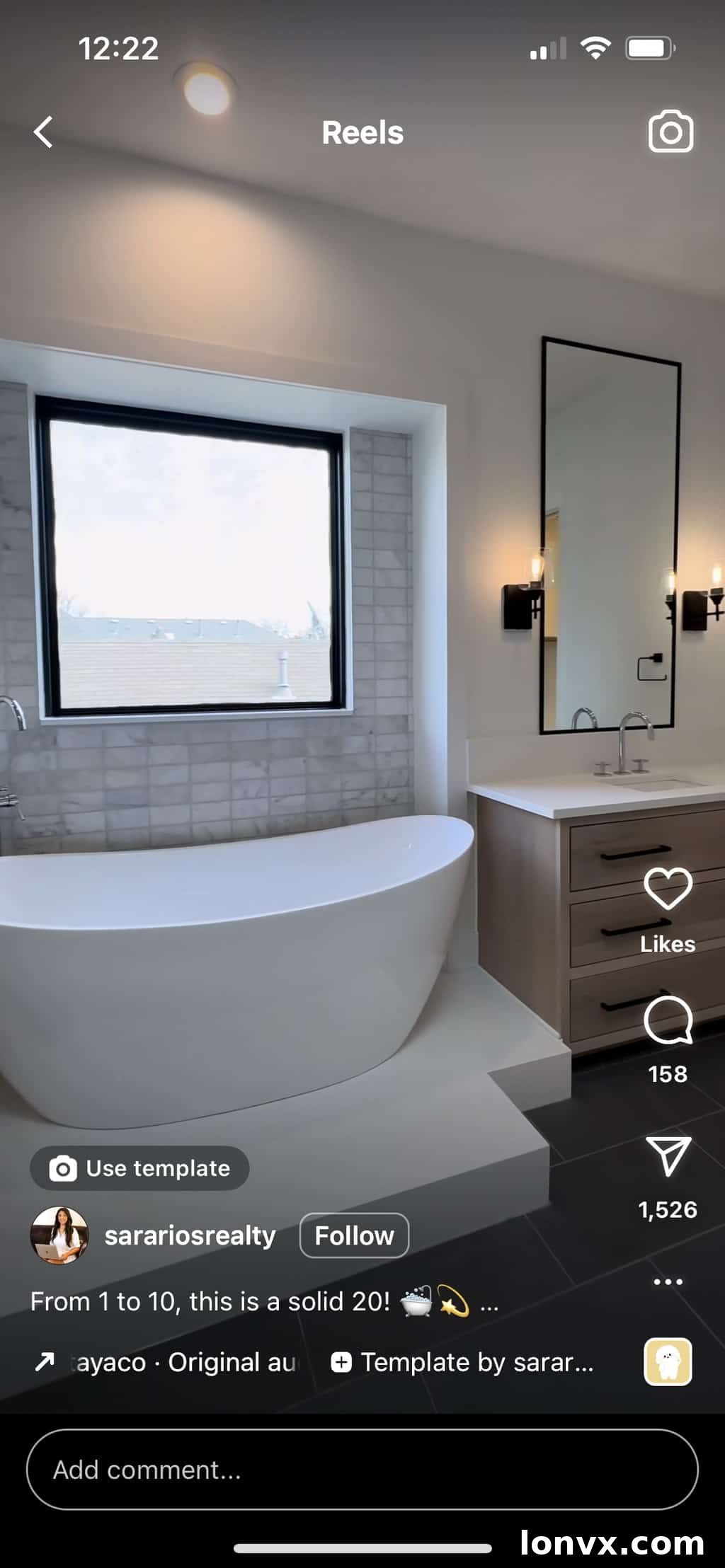
The “Rate This Space” Reel is an incredibly effective way to foster interaction and engagement with your audience. By directly inviting viewers to share their opinions, you not only boost engagement metrics but also gather valuable insights into what features resonate most with potential buyers. This type of Reel creates a conversation around your listings, turning passive viewing into active participation.
What You’ll Need:
This Reel requires four distinct video clips. When filming, ensure each clip is at least 2.2 seconds long to fit the template’s timing. You can use different clips showcasing various angles of a single room, allowing viewers to appreciate its details, or feature different key spaces within the home (e.g., kitchen, master bath, living room, backyard oasis). The key is to highlight areas that are visually appealing and generate opinions.
How to Make It:
 How to Make It:
Step 1: View the Template: Tap here to view the Reel on Instagram. Observe how the different clips are timed with the audio to create a cohesive prompt.
Step 2: Utilize the Template Feature: Directly tap “Use Template” just above the caption of the original Reel. This automatically sets up the audio and timing for your clips, making creation seamless.
Step 3: Upload Your Clips: Tap the grey boxes within the template and select your four pre-recorded clips from your camera roll. The template will automatically adjust them to the correct timing.
Step 4: Add Interactive Text (Optional but Recommended): Tap “Next.” Here, you can add text overlays. A great title would be, “Rate this [Room Type] from 1 to 10” (e.g., “Rate this bathroom from 1 to 10”). This explicit call invites your audience to leave a comment, directly boosting engagement. Consider creating two versions – one with and one without text – to test which performs better with your specific audience. When satisfied, hit “Next” again.
Step 5: Edit Your Cover Image: Change or edit your cover image. Choose an eye-catching still that encourages curiosity and makes viewers want to click and “rate” the space.
Step 6: Write Your Engaging Caption with a CTA: Craft a caption that reiterates your call to action to “rate this space.” Ask open-ended questions like, “What’s your favorite feature?” or “What score would you give this design?” Crucially, invite them to view the full listing on your website or contact you for a private tour, leveraging this interaction into a potential lead.
Step 7: Insert Location Tags: Add the location of the property. This ensures your interactive Reel reaches potential buyers actively looking in that area.
Step 8: Share and Monitor: Hit “Share” to publish. Then, actively monitor your comments section and respond to every rating and question, fostering community and client relationships.
Views on original Reel: 218K +
Source: sarariosrealty
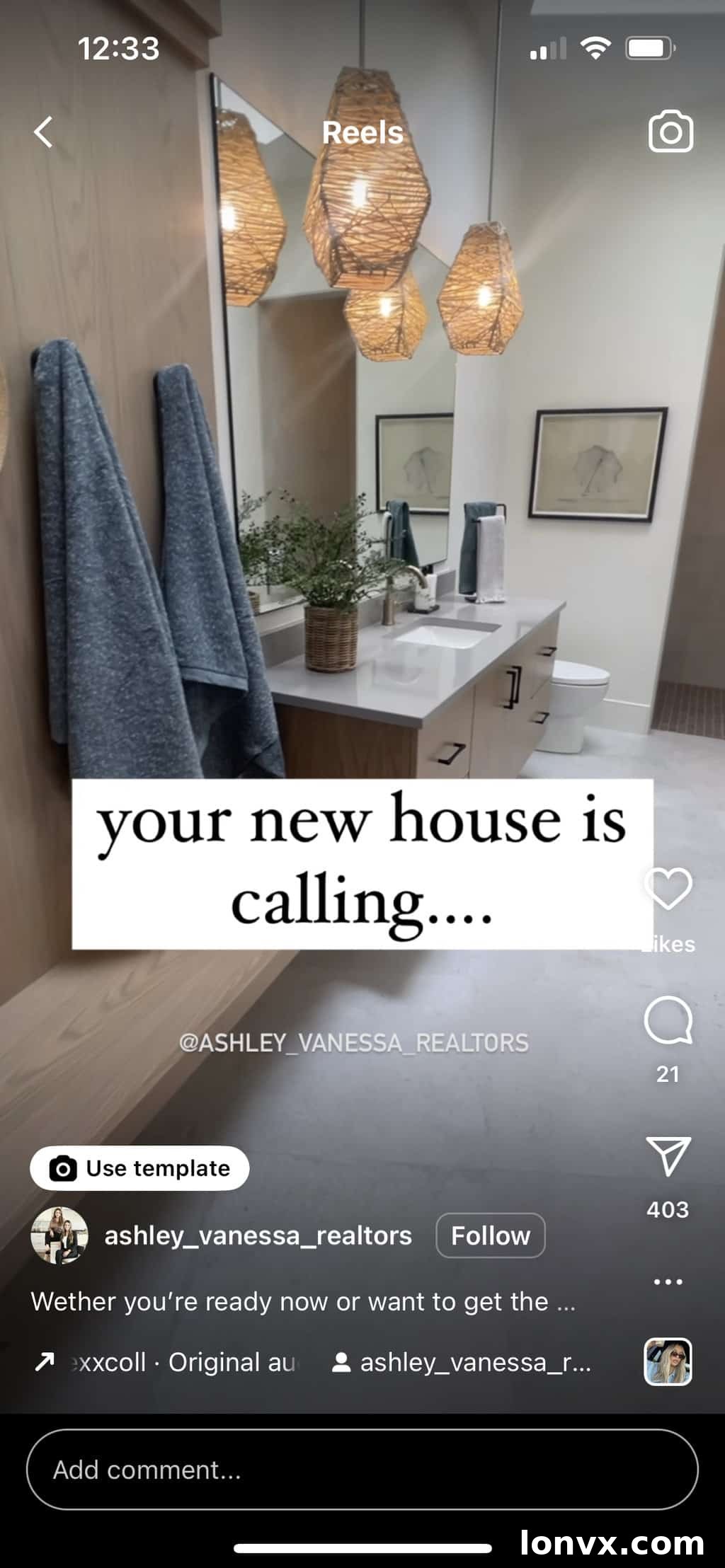
5. Your New Home is Calling: Branding, Team, or Listing Spotlight
This template is incredibly versatile, perfect for evoking emotion and a sense of opportunity. While it can beautifully showcase a new listing, it’s also a powerful tool for agent branding, introducing your team, or even highlighting client success stories. The audio creates an uplifting and aspirational mood, making viewers feel connected to the message of finding their dream home.
What You’ll Need:
Five distinct video clips. The first clip should be slightly longer, around four seconds, setting the scene or introducing the theme. The subsequent four clips should be shorter and dynamic, designed to either showcase various features of a listing you’re selling, highlight different members of your real estate team (as seen in the original example), or even feature happy clients in their new homes. The key is to select visuals that align with the inspiring “new home” message.
How to Make It:
 How to Make It:
Step 1: Preview the Template: Tap here to view the Reel on Instagram. Pay attention to the timing and emotional tone conveyed by the clips and audio.
Step 2: Access the Template Feature: Tap “Use Template” directly above the caption on the original Reel. This will automatically load the audio and clip timings for you.
Step 3: Upload Your Five Clips: Upload your pre-selected five clips. Ensure your first clip is around four seconds, followed by four shorter, impactful clips. The template will guide you on the exact duration for each segment.
Step 4: Add Your Title and Message: Tap “Next” and then add your primary title, “Your New Home is Calling.” Follow this with additional compelling text. If showcasing a listing, include key details or a catchy phrase like, “And it’s waiting for you at [Address]!” If focusing on your team, add something like, “And we’re here to help you pick up!” or “Your trusted guides to finding your dream home!”
Step 5: Final Text Review: Hit “Next” again once all your text overlays are perfectly placed and timed.
Step 6: Customize Your Cover: Change or edit your cover image. Select a visually appealing still that encapsulates the feeling of “new beginnings” or the most captivating aspect of your content.
Step 7: Craft Your Inspiring Caption and CTA: Type up a caption that expands on the “new home” theme. If it’s a listing, provide more details and a clear CTA to visit the link in your bio. If it’s for branding, introduce your team’s unique value proposition and encourage viewers to “get in touch with you” for their real estate needs. Use warm, inviting language.
Step 8: Insert Location Tags: Always add a location tag – whether it’s the specific property address or the general area your team serves. This enhances local discoverability.
Step 9: Share Your Vision: Hit “Share” to publish your inspiring Reel and connect with your audience on an emotional level.
Views on original Reel: 29.7K +
Source: ashley_vanessa_realtors
Elevate Your Real Estate Marketing with Instagram Reels
We hope these five trending Instagram Reel templates provide you with the inspiration and practical steps needed to significantly boost your engagement and foster growth for your real estate business. Short-form video is an evolving medium, and staying ahead of trends is crucial for maintaining visibility and relevance.
Experiment with these ideas this week. Track your Reel’s performance, pay attention to which templates resonate most with your audience, and don’t be afraid to adapt them to fit your unique brand and local market. Consistency, creativity, and a genuine desire to connect with your community will be your biggest assets.
Keep an eye out for our updated blog posts in the near future, where we’ll continue to share more Reel ideas, emerging trends, and advanced strategies you can jump on to keep your content fresh and impactful. The world of real estate social media is constantly evolving, and we’re here to help you navigate it successfully.
Did you create an Instagram Reel that garnered exceptional attention or generated fantastic leads? We’d love to see it! Drop a link to your successful Reel in the comments section below to share your triumphs and inspire the wider real estate community.